 Seamfold
Make one picture swipe across your whole carousel
Seamfold is an iPhone app that turns one wide photo, or a set of photos, into carousel panels that meet exactly at every fold. You compose a single spread, check the seams and the grid cover, test the swipe, then save the panels to Photos in order.
Coming soon to iPhone
Inside the app
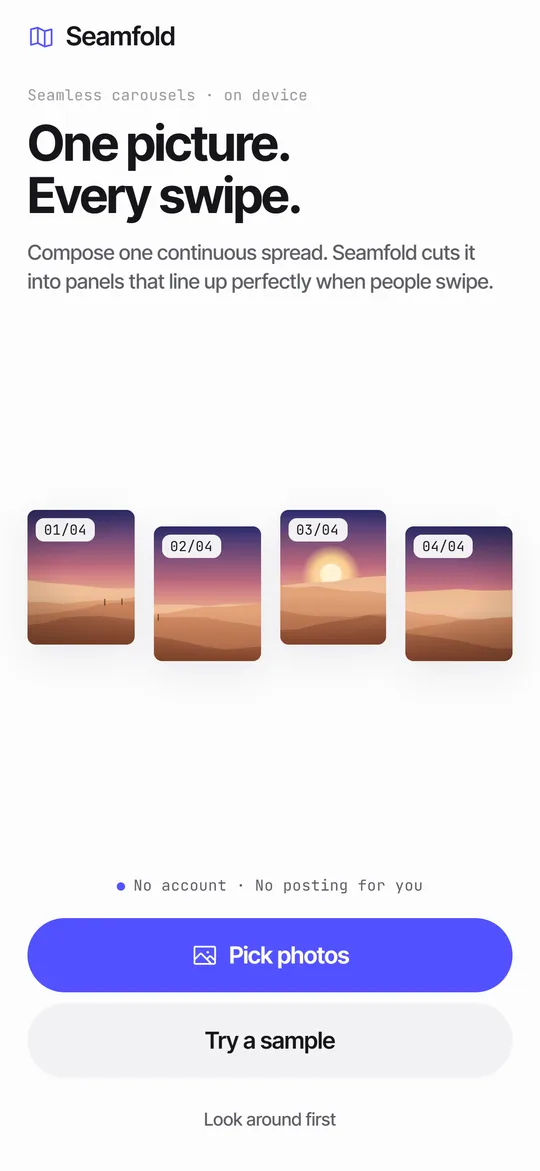
- 01Welcome
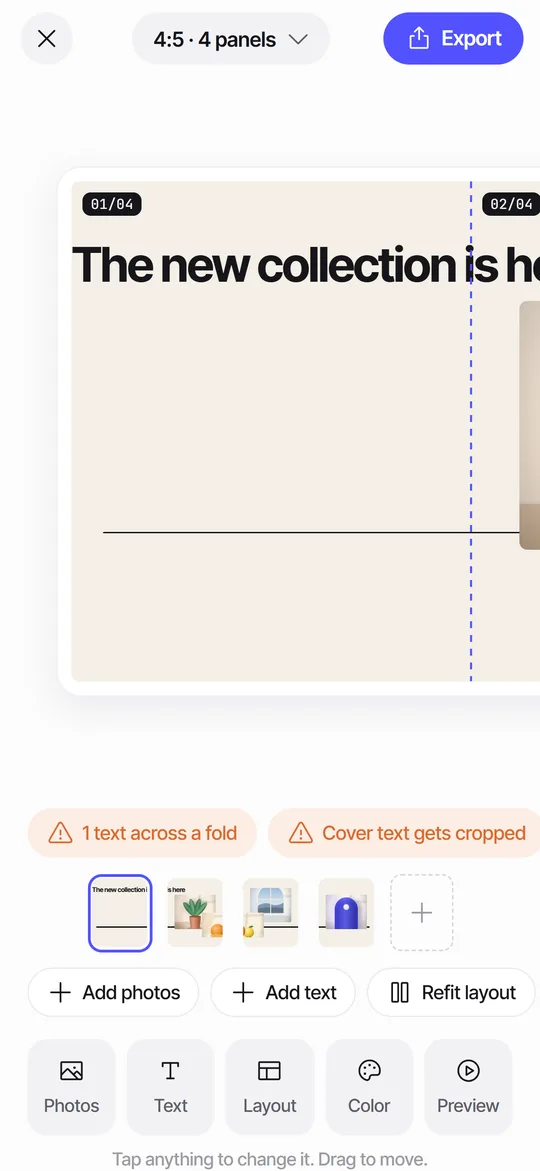
- 02Editor with seam check
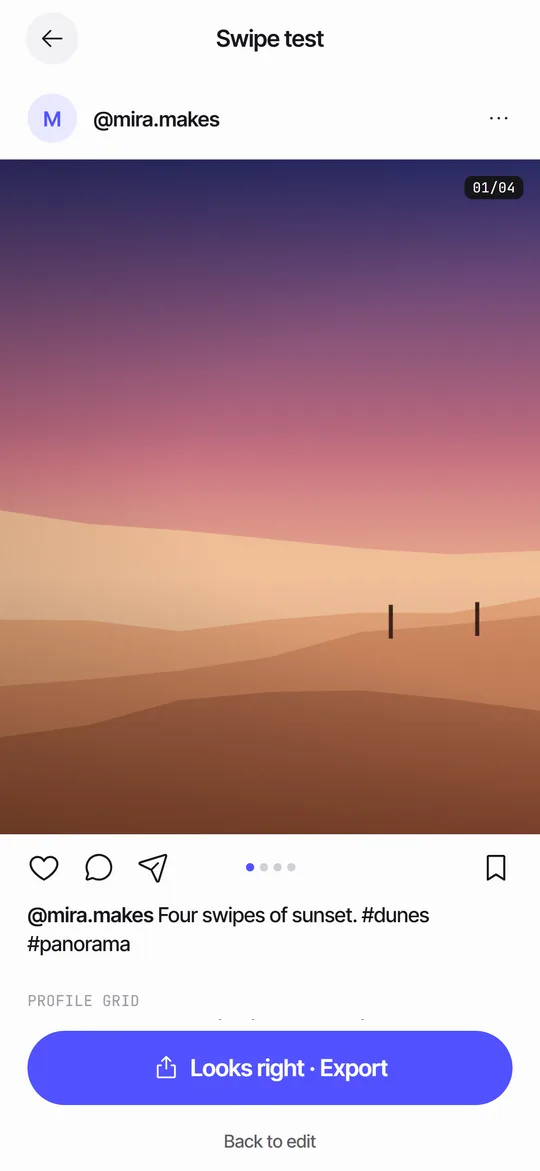
- 03Swipe test before posting
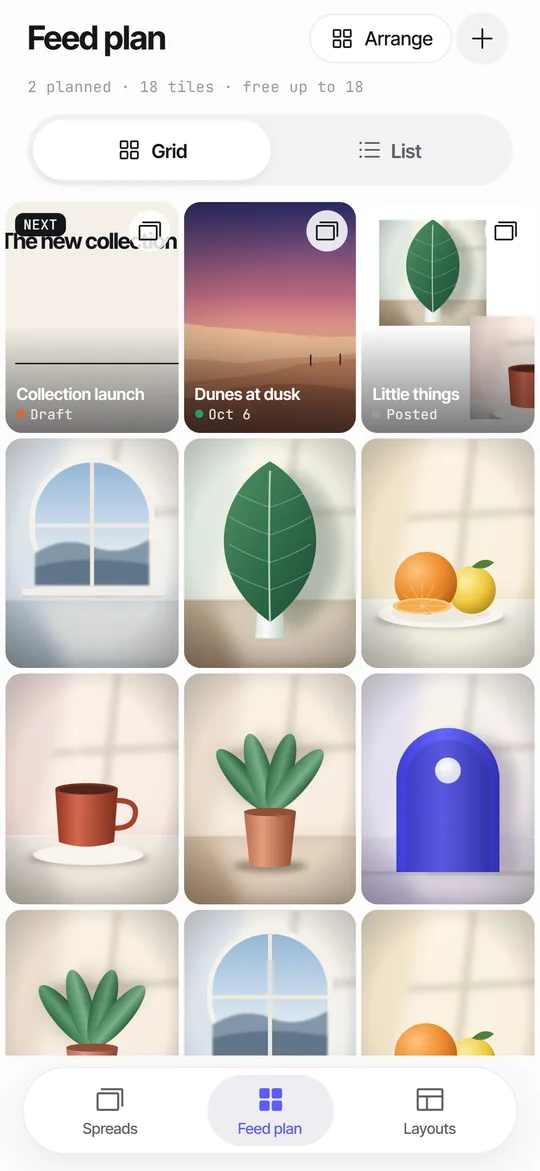
- 04Feed plan grid
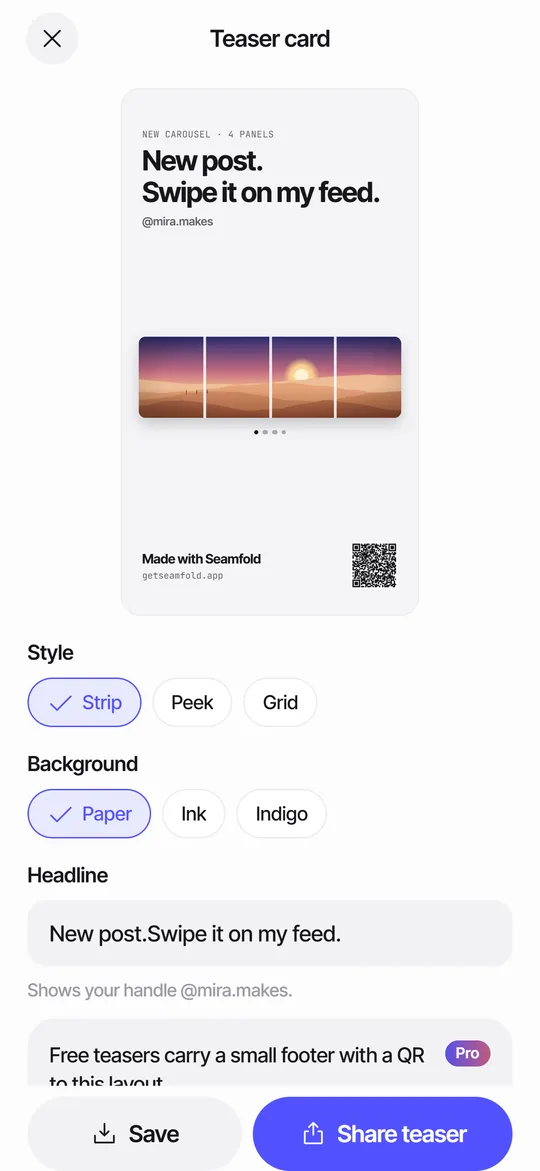
- 059:16 teaser card
How it works
- 1Drop in a panorama or photosPick a wide photo or several from the system picker. Seamfold lays them on one long canvas and cuts 2 to 4 panels free.
- 2Check seams and coverFold lines show each cut. Checks flag text across a fold and shade what the 3:4 profile grid will crop.
- 3Test, save, postSwipe through a mock post, save the 1080 px PNG panels to Photos, then pick them in order in your social app's post composer.
What it does
Feed Planner That Stays on Your iPhoneA local 3-column grid of planned covers and posted photos, with dates, status and captions.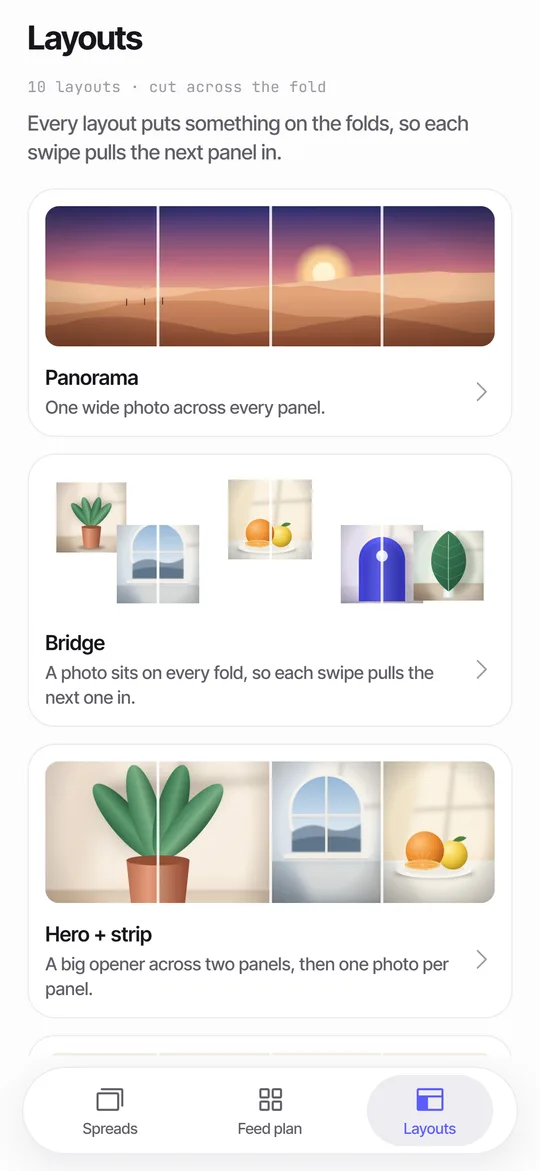 Panorama Splitter for Social Carousels on iPhoneCut a panorama into 2 to 20 panels, or build a spread from several photos with 10 layouts.Seam CheckFinds text cut by a fold between panels and moves it for you.
Guides
What does Seamfold do?
You work on one long canvas instead of several separate slides. Drop in a panorama and Seamfold cuts it into 2 to 4 panels on the free plan, or up to 20 with Pro. Drop in several photos and the Bridge layout places a photo across every fold, so each swipe pulls the next panel in.
The result is saved as 1080 px wide PNG files, in order, ready to pick in the post composer. Seamfold never posts for you. You save the images and publish them yourself.
- Pick photos with the system picker, or try the built-in sample.
- Adjust the spread: move and zoom photos, add text, change the background.
- Run the checks and the swipe test.
- Save the panels to Photos, panel 1 first.
- Share a teaser card to your stories if you like.
How does it keep the seams clean?
Panels are cut on exact boundaries from a single spread, so a horizon or a skyline continues from one panel to the next. Dashed fold lines show where each cut falls while you edit.
Seam check looks at your text layers. When a headline runs across a fold, the checks strip says so, and one tap nudges the text off the fold. Read more on the seam check page.
Will the first panel survive the profile grid?
Profile grids now show posts as 3:4 tiles. A 4:5 post loses a thin strip on each side there, and a square loses a quarter of its width. Seamfold shades what the grid will crop from panel 1 and tells you whether the cover is safe.
The full explanation, with numbers, is in the 3:4 grid cover guide and on the cover check page.
Can I test the swipe before posting?
Swipe test opens your panels in a generic post frame with page dots, a caption preview and a row showing how the cover sits in a 3:4 grid. You page through it like a real post, then export or go back to edit. The frame is generic and uses no platform logos.
Details are on the swipe test page.
What are the teaser card and the feed plan?
The teaser card is a 9:16 image for stories that shows the whole spread and invites people to swipe the new post. It carries a small QR code that opens the same layout in Seamfold. See the teaser card.
The feed plan is a 3-column grid of your planned covers next to posts you already have, with a planned day, a status and a caption draft. It lives on the device. See the feed plan.
What happens to my photos?
They stay on your iPhone. Seamfold has no account, no server for your pictures and no analytics. Photos come in through the system picker, so the app never asks for access to your whole library. Saving uses add-only permission. The privacy page lists everything in plain language.
What is free and what is Pro?
Free covers unlimited spreads, all three ratios, 2 to 4 panels, 6 of the 10 layouts, the seam, cover and swipe checks, the teaser card and an 18-tile feed plan. Free exports carry a small mark on the last panel.
Pro adds up to 20 panels, all 10 layouts, no mark on panels, teaser cards without the footer and an unlimited feed plan. Pro comes as a weekly or yearly subscription (the yearly plan has a 3-day free trial for eligible new subscribers) or a one-time lifetime purchase. Prices are shown in the app from the App Store. Seamfold is in development and is not on the App Store yet.
Frequently asked questions
What is Seamfold?
Seamfold is an iPhone app that cuts one wide photo, or a set of photos, into carousel panels that line up when someone swipes. It also checks text across folds and your 3:4 grid cover.
How do I make a seamless carousel on social media?
Compose one wide spread, cut it into panels of equal width, save them in order and pick them from 1 to the last in the composer. Seamfold does the cutting and the ordering. The step-by-step guide covers the details.
Does Seamfold post to social media for me?
No. Seamfold saves panels to your Photos library and you publish them yourself. The app never connects to a social network.
Do I need an account?
No. There is no sign-up, no login and no analytics. Your photos and plans stay on the iPhone.
Which iPhones does it support?
Seamfold is built for iPhone and needs iOS 17 or later. There is no iPad version. The app speaks English and Russian.
Is Seamfold on the App Store yet?
Not yet. It is in development, and this site will link to the App Store page when the app is released.
Keep exploring
Panorama Splitter for Social Carousels on iPhoneCut a panorama into 2 to 20 panels, or build a spread from several photos with 10 layouts.Seam CheckFinds text cut by a fold between panels and moves it for you.How to Make a Seamless Carousel on iPhoneFive steps from one wide picture to a swipe post whose panels line up.Seamfold SupportAnswers on posting order, purchases, languages and data.