 Seamfold
A panorama splitter that also builds spreads
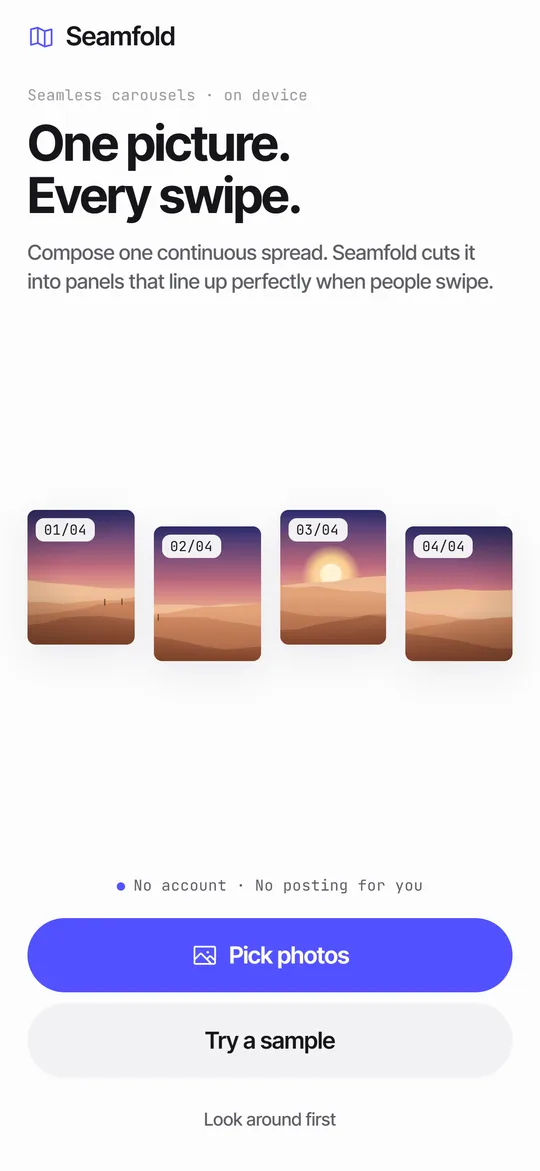
Seamfold is a panorama splitter for iPhone. Pick one wide photo and the app chooses a panel count from its shape and cuts it into 1080 px wide panels in 4:5, 3:4 or 1:1. Pick several photos instead and one of 10 layouts places them across the folds as a single spread.
Coming soon to iPhone
How does the splitting work?
You do not slice a finished image. You edit one continuous spread, and the panels are views of it. Each panel is one unit wide, and the height follows the ratio you choose. That is why a horizon line continues across the cut with no gap.
When the spread is one photo with no text, Seamfold crops the original file for each panel, which keeps the full resolution. Otherwise each panel is rendered at 1080 px wide.
| Ratio | Panel size | Use it for |
|---|---|---|
| 4:5 | 1080 x 1350 | The standard feed portrait |
| 3:4 | 1080 x 1440 | Full-height portrait that matches the grid tile |
| 1:1 | 1080 x 1080 | Square posts |
How do I split a panorama, step by step?
- On the Spreads tab tap New spread, or use the Panorama chip.
- Choose a ratio (4:5, 3:4 or 1:1). Each shows its pixel size.
- Leave the panel count on Auto to fit the photo, or set it yourself between 2 and 20.
- Pick the panorama with the system photo picker. Seamfold does not ask for access to your whole library.
- The editor opens with the spread cut and dashed fold lines labeled 01/04, 02/04 and so on.
- Slide the photo inside its frame until the horizon and the subjects sit where you want them.
- Run the swipe test, then tap Export and save the panels.
How many panels can I make?
From 2 to 20. A single panorama gets its count from its shape: a very wide photo gets more panels, a modest one gets fewer, and the plan caps the result. Free exports go up to 4 panels. Pro raises the limit to 20, which is the carousel maximum the social app allows.
Rule of thumb for quality: the source should be about 1080 px wide for every panel. A 4-panel carousel wants a photo around 4,320 px wide. Smaller sources work but look soft. The carousel size guide has the numbers.
How does Auto pick the number of panels?
It multiplies the photo's width-to-height ratio by the panel height in panel widths, then rounds. At 4:5 the multiplier is 1.25, at 3:4 it is about 1.33 and at 1:1 it is 1. A 3:1 panorama at 4:5 gives 3 x 1.25 = 3.75, so 4 panels. The same photo at 1:1 gives 3.
The result is limited by your plan, to 4 panels on free and 20 on Pro. When the photo wants more, the app uses the cap and fits the photo to those panels, so you can slide it to choose what shows.
What are the 10 layouts?
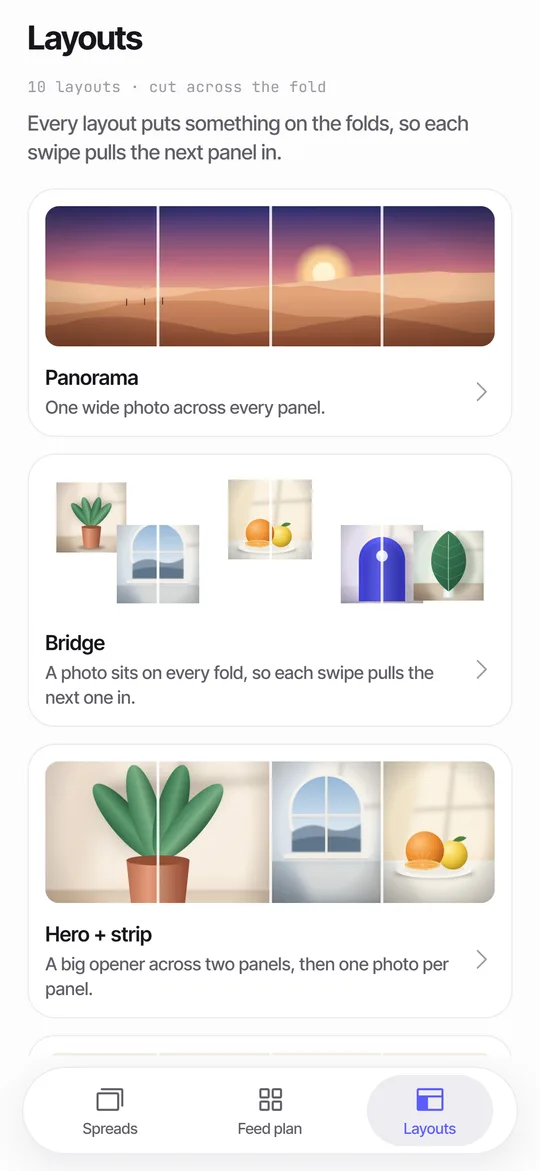
Layouts decide where photos land on the spread. Six are free and four need Pro.
| Layout | Access | Photos needed |
|---|---|---|
| Panorama | Free | 1 or more, one wide photo across every panel |
| Bridge | Free | 3 or more, a photo sits on every fold |
| Hero + strip | Free | 2 or more, a big opener across two panels |
| Headline across | Free | 2 or more, a large line of text across the folds |
| Cover title | Free | 1 or more |
| Frames | Free | 3 or more |
| Film strip | Pro | 4 or more, dark background |
| Scatter | Pro | 4 or more |
| Mosaic | Pro | 4 or more |
| Before / after | Pro | 2 or more |
What are the honest limits?
- A narrow photo cannot be split into many sharp panels. Below about 1080 px of source per panel, the editor shows a chip such as 1 photo may look soft.
- Seamfold does not stitch several frames into a panorama. Take the panorama in the Camera app first, then pick it here.
- It cuts horizontal strips only. Panels sit side by side, which is how a carousel swipes.
- It cannot stop the social app from re-compressing your upload, or from re-cropping if you pinch in the composer.
- The free plan stops at 4 panels and 6 layouts.
What can I edit?
Tap a photo to move it, zoom in or out, bring it forward, replace it or delete it. Add text in the display or mono style, change its size, alignment and color, and choose one of 12 background colors. Undo is there when a move goes wrong.
The Refit layout chip re-places everything when you swap photos. The editor shows dashed fold lines with numbers such as 01/04, so you always see where the cuts fall.
What do I see on the screen while I edit?
The spread sits on a white card that scrolls sideways. Dashed accent lines mark the folds and carry mono numbers. Tap a photo and it gets an outline with handles. The strip under the card is the panel rail, with a thumbnail for each panel and a dashed plus button that adds one. Above the rail, the checks strip tells you about seams and the cover. The tool tiles at the bottom are Photos, Text, Layout, Color and Preview.
Where do the panels go?
Save puts the panels in Photos in order, panel 1 first. Seamfold asks for add-only permission at that moment. You can also share a single panel through the share sheet. See how to post them so they line up.
How is this different from cutting by hand?
By hand you work out the spread width, drag guides, export slices and rename them so the order survives. One slice with the wrong width puts a hairline at the cut. In Seamfold the panels are views of a single spread, so each cut lands on the same pixel by construction, and Save writes all of them in order.
There is also the matter of where the files end up. A desktop workflow needs a transfer to the phone. Here the panels go straight to Photos, which is where the post composer picks them up. For the reasoning behind each step, see the step-by-step guide.
What does the free plan include?
Unlimited spreads, all three ratios, 2 to 4 panels and 6 of the 10 layouts. Exports from the free plan carry a small mark on the last panel, placed in the bottom right corner. Pro removes the mark by default and raises the panel limit to 20. Pro is a weekly or yearly subscription, or a one-time lifetime purchase, with prices shown in the app. Seamfold is in development and not yet on the App Store.
Frequently asked questions
How do I split a panorama for a carousel?
Pick the panorama in Seamfold, choose 4:5, 3:4 or 1:1, check the panel count and save. The panels land in Photos in order, ready to select from 1 to the last in the composer.
Does splitting reduce image quality?
A pure panorama is cut from the original file, so the pixels are kept. The social app still re-compresses uploads, which no app can prevent.
Can I use several photos instead of one panorama?
Yes. Pick up to 20 photos and a layout such as Bridge places a photo across every fold.
How many panels does Seamfold pick for a panorama?
It multiplies the photo's width-to-height ratio by 1.25 for 4:5, 1.33 for 3:4 or 1 for a square, then rounds. A 3:1 photo at 4:5 gives 4 panels.
Does Seamfold stitch panoramas?
No. Take the panorama in the Camera app, then pick it in Seamfold to cut it into panels.
Can I change the panel count after the photo is placed?
Yes. Tap the title pill in the editor to open the Panels sheet, where you change the ratio and the count.
Keep exploring
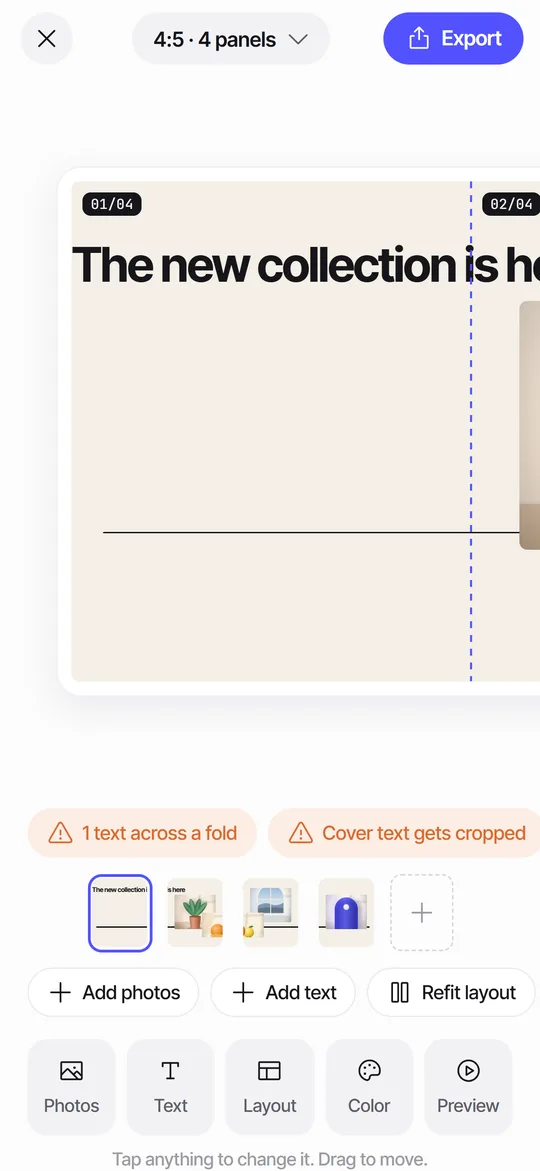 Seam CheckFinds text cut by a fold between panels and moves it for you.
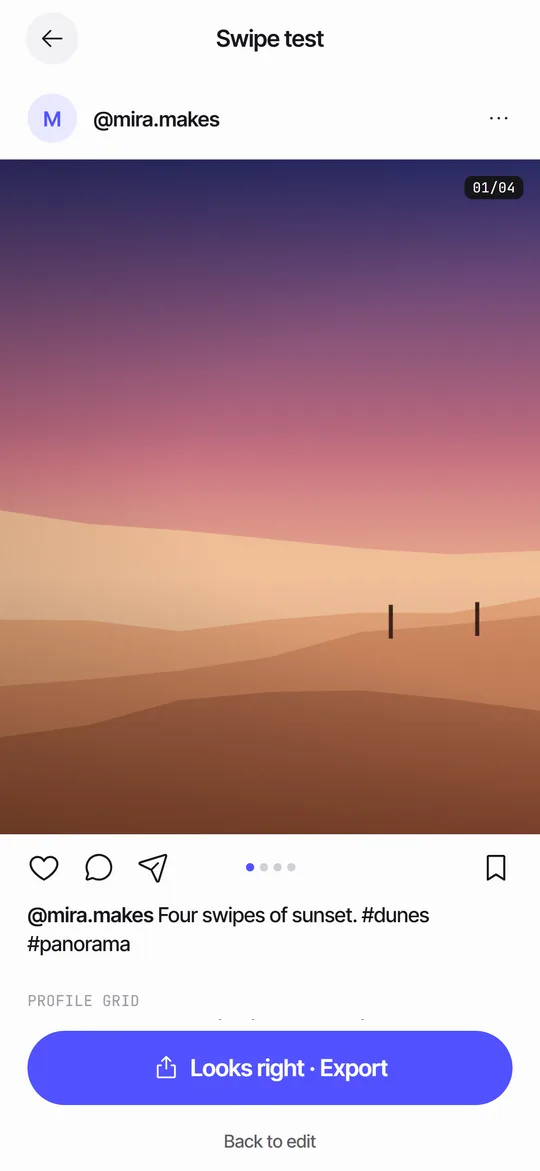 Swipe TestPage through your panels in a post frame and see the cover in a 3:4 grid.
 How to Split a Panorama for a Carousel, With SizesPanel counts, pixel widths and the steps to cut a panorama into a carousel.Carousel SizeSizes for 4:5, 3:4 and square carousel panels, slide limits and how to choose.