 Seamfold
Check the cover before the 3:4 grid crops it
Cover check shades the part of panel 1 that the 3:4 profile grid will crop and tells you whether the cover is safe. On a 4:5 post the grid trims a thin strip from each side, and on a square it trims a quarter of the width. Text near those edges can get cut.
Coming soon to iPhone
Why does the cover need a check?
The social app changed the profile grid to vertical tiles in 2025, so the first panel of a carousel is shown as a 3:4 tile. Guides to the new grid put the crop of a 4:5 post at 1013 x 1350 pixels. Anything outside that middle stays in the post but vanishes from the grid.
The longer story is in the 3:4 grid cover guide.
| Panel ratio | What the grid shows |
|---|---|
| 4:5 (1080 x 1350) | The middle 3:4, about 34 px trimmed on each side |
| 1:1 (1080 x 1080) | The middle 3:4, a quarter of the width cropped |
| 3:4 (1080 x 1440) | The whole panel, no crop |
What do I see in the editor?
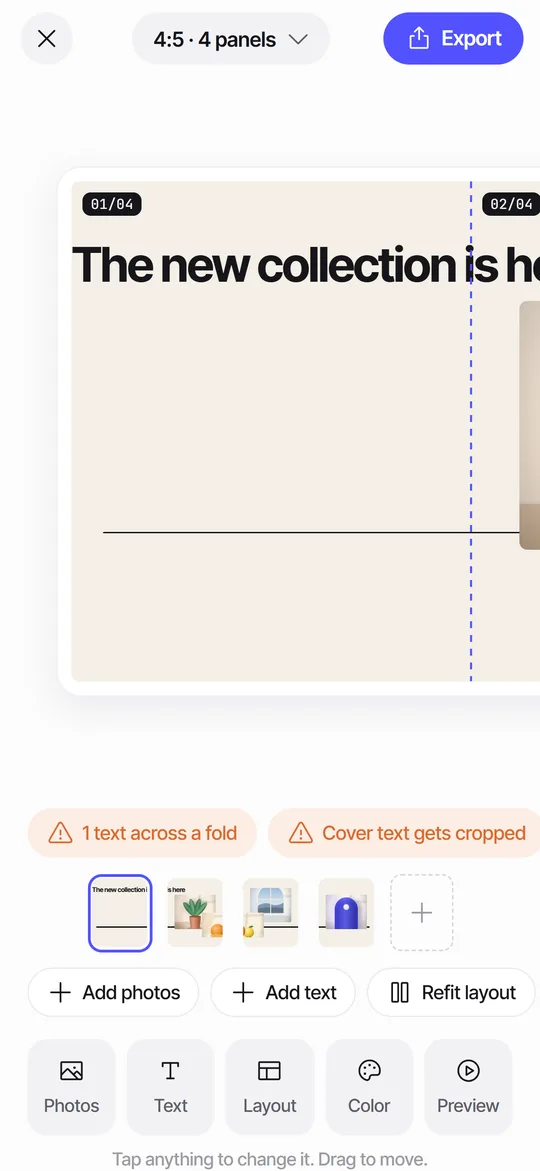
The checks strip sits above the panel rail and shows one of three labels for the cover. Cover safe means the cover is 3:4 and the grid shows all of it. Cover safe · edges trimmed means the grid will crop the sides, but no text sits in the cropped strip. Cover text gets cropped means a text layer overlaps the strip that the grid removes.
Tap the chip and the editor scrolls to panel 1 and shades the cropped zones, so you see the 3:4 window the profile will show.
How do I run the cover check, step by step?
The overlay is only a guide. It does not show up in the exported panels.
- Open a spread and look at the checks strip above the panel rail.
- Read the cover label. If it says Cover safe, you can stop here.
- Tap the label to turn on the overlay. The editor jumps to panel 1 and shades the trimmed edges.
- If the label says the text gets cropped, tap the chip a second time. Seamfold moves the text inside the window and shrinks it if it was wider than the window.
- Check the result in the editor. Tap the chip again to hide the overlay.
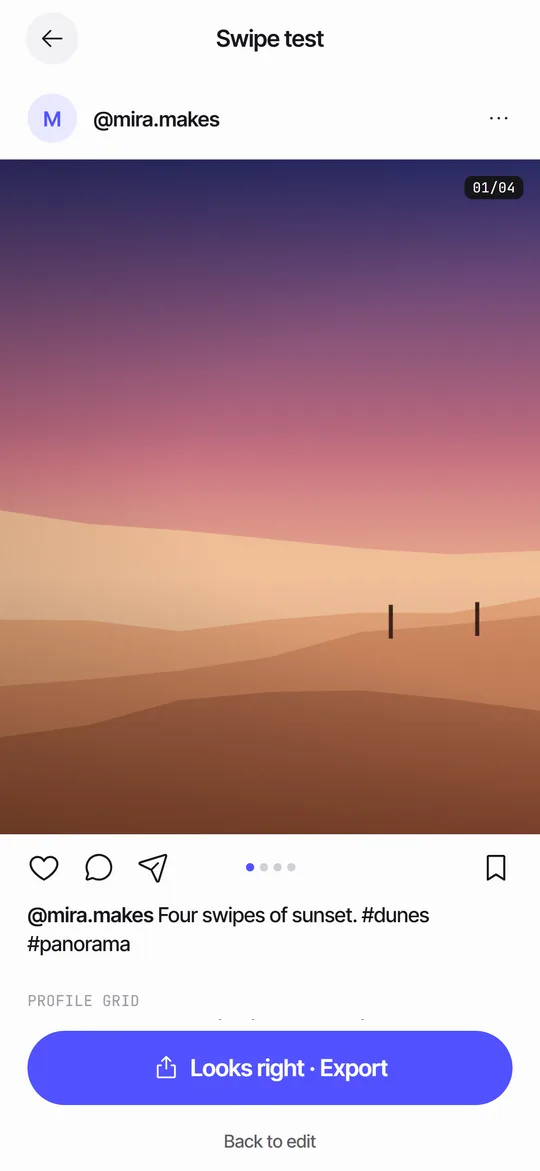
- Open the swipe test and look at the grid row at the bottom for a last look.
Who needs it most?
Anyone who puts a title on the first panel. A 4:5 cover loses only about 34 px per side, so a centered headline is rarely hurt. A square cover loses 135 px per side, which cuts into a headline that spans the full width. Check before you export, since the grid is the first thing visitors see.
What does each situation look like?
The label depends on the ratio you chose and on where your text sits. These cases cover most spreads.
| Situation | What the strip says | What to do |
|---|---|---|
| 3:4 spread, any text | Cover safe | Nothing, the tile matches the panel |
| 4:5 spread, title centered | Cover safe · edges trimmed | Nothing, only a thin strip is lost |
| 4:5 spread, title near the left edge | Cover text gets cropped | Tap twice, or drag the title inward |
| Square spread, full-width headline | Cover text gets cropped | Tap twice, shorten the headline or switch to 3:4 |
| Photo only, no text | Cover safe · edges trimmed (4:5, 1:1) | Check the subject by eye in the overlay |
Where else does the cover show up?
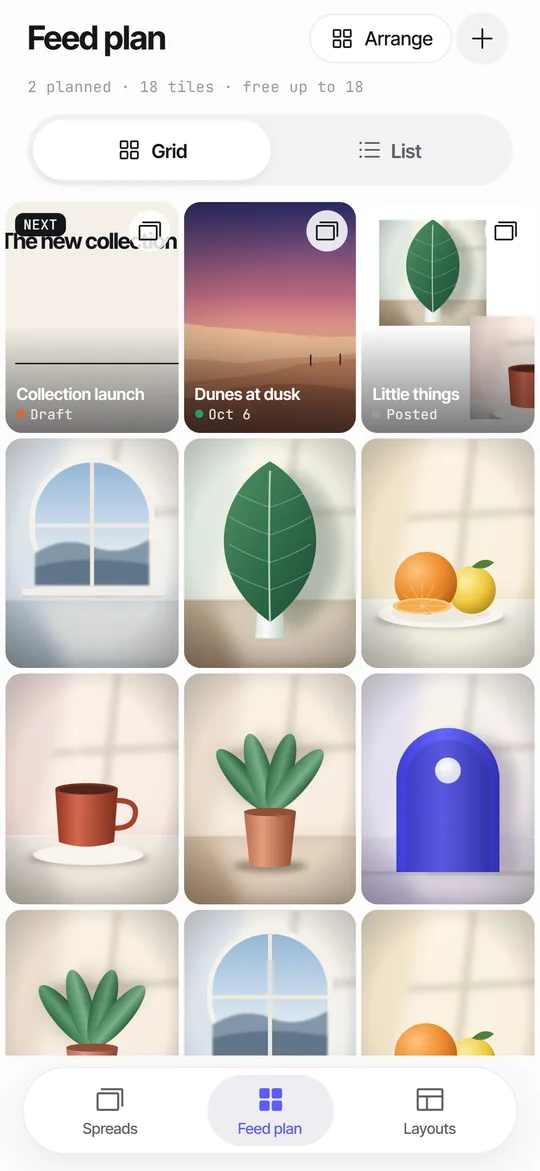
Swipe test ends with a row called How it sits in your grid, which draws your cover cropped to 3:4 in the middle of a grid. The feed plan uses the same 3:4 tiles for planned covers.
What are the limits of the check?
It reads text layers only. A face or a logo inside a photo is not detected, so the overlay is your tool for those: if a face sits in a shaded zone, move the photo. The check is also about panel 1 alone, because the grid shows only the first panel.
The size of a text box is estimated from its characters, so a box with unusual line breaks may be a little off. When the label and your eyes disagree, trust the overlay. And the 3:4 window is the rule today, as the grid guide explains. If the social app changes the grid, the check will need an update too.
Can I avoid the crop entirely?
Yes. Export at 3:4 (1080 x 1440) and the grid tile matches the panel. Check the carousel size guide for when that is the better choice.
How is this different from checking by hand?
By hand you export panel 1, draw a 3:4 window of the same height over it and measure. That takes a minute in an editor, and you do it again after every change to the title. The cover check does the same sum on every edit, so the label changes as you drag.
The overlay also shows the window on the panel itself. A number such as 34 px per side is hard to picture, while a shaded strip makes the loss clear. A tip: run the check last, after you have placed everything else, because moving a photo changes where the eye lands.
Quick tips for a cover that holds up
- Keep the title at least a thumb's width from the left and right edges of panel 1.
- Start a headline that runs across panels about 150 px in from the left.
- Put faces and logos in the middle three quarters of the panel.
- Check the cover at small size too, using the grid row at the end of the swipe test.
- If the grid look is your priority, choose 3:4 when you create the spread.
Frequently asked questions
What size is the grid thumbnail?
The profile grid shows 3:4 tiles. A 4:5 post of 1080 x 1350 is cropped to about 1013 x 1350 there, according to guides to the new grid.
Does cover check change my panels?
No. The overlay is a guide in the editor and is not part of the exported image.
Does it check panels other than the first?
The grid only shows panel 1, so the check focuses on it.
What does Cover safe · edges trimmed mean?
The grid will cut a thin strip from each side of panel 1, but none of your text sits in that strip. It is a warning only if a face or logo is there.
How do I fix Cover text gets cropped?
Tap the cover chip once to see the overlay, then tap it again. Seamfold moves the text inside the grid window and shrinks it if needed.
Does the cover check work for short videos?
No. Seamfold makes carousel panels, and the check is about panel 1 of a spread.
Keep exploring
 Seam CheckFinds text cut by a fold between panels and moves it for you.
 Feed Planner That Stays on Your iPhoneA local 3-column grid of planned covers and posted photos, with dates, status and captions.The 3What the 3:4 grid crops from 4:5 and square covers, and how to keep titles inside.
 Swipe TestPage through your panels in a post frame and see the cover in a 3:4 grid.