 Seamfold
Seam check keeps words off the fold
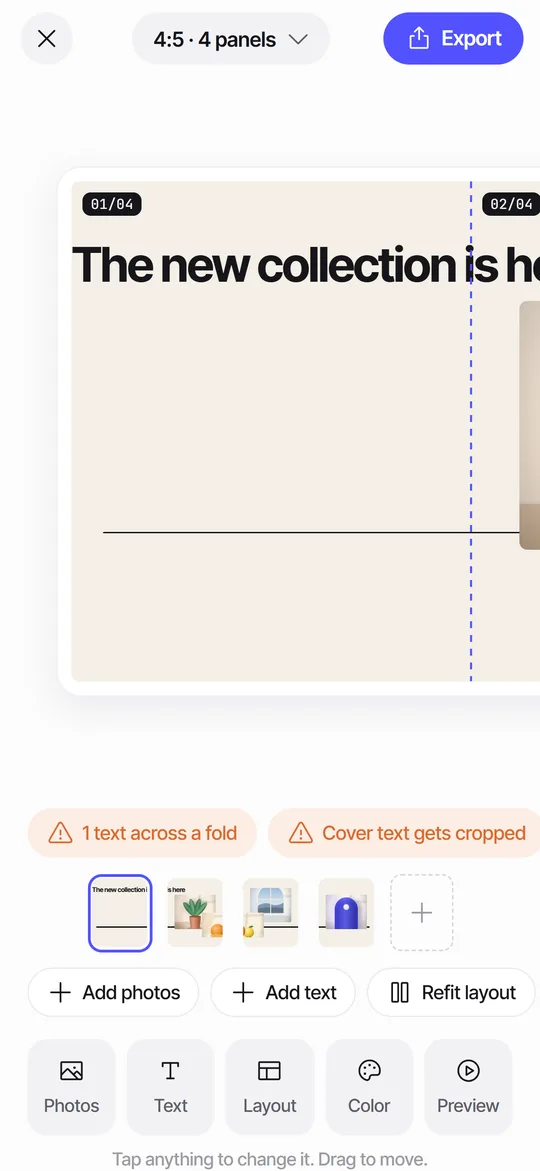
Seam check is a Seamfold feature that warns you when a text layer runs across the fold between two carousel panels. A word split between panels is hard to read on both. The checks strip names the problem, and one tap nudges the text to a clean position.
Coming soon to iPhone
What does seam check look for?
It looks at the text you add in the editor. A photo is meant to cross a fold, because that is the whole idea of a panorama carousel. A headline is different. When half a word sits on panel 2 and the other half on panel 3, the swipe breaks the word in the middle of the motion.
The check shows green when all is fine, with the label Seams clear. When text crosses a fold it turns orange and counts them, for example 1 text across a fold.
How does the check decide a fold cuts the text?
Each text layer has a box, and the check asks whether a fold line passes through it with some room to spare. The room is about 4 percent of a panel's width. A word that stops just short of a fold counts as clear, and a box that covers a fold by more than that counts as cut.
The height of a box is estimated from the number of characters, the text size and the width, so a box can look slightly larger or smaller than the words inside it. The count in the chip is the number of folds that cross a text, so one headline over two folds counts twice.
How do I fix a flagged seam?
You can also drag the text yourself. The dashed fold lines with numbers make the cut position easy to read.
- Tap the orange chip in the checks strip.
- Seamfold moves the text layer off the fold to the nearest clean spot.
- Check the result in the editor, then run Swipe test if you want to see it in motion.
Where does the nudge move my text?
It moves the text to the side of the fold that is closer to where the box already sits, and leaves a small gap from the fold line. If the box is wider than a single panel, Seamfold first shrinks it so it fits, then moves it. Check the new size afterward, since a long headline may end up smaller than you want.
For a headline that needs to stay big, split it into two lines with a line break, or turn it into two text layers that each live on one panel.
| What the text does | What the nudge does |
|---|---|
| Crosses one fold, most of it on the left | Moves it left of the fold |
| Crosses one fold, most of it on the right | Moves it right of the fold |
| Wider than a panel | Shrinks the text, then moves it |
| Crosses several folds | Repeats until no fold crosses it, up to a few passes |
Where does seam check fit in the workflow?
Use it after you finish placing photos and text, and before the swipe test. The panorama splitter sets the folds, seam check protects the words on them, and the cover check protects panel 1 in the grid. The three checks are in the same strip above the panel rail.
What does it look like on screen?
The checks strip shows two chips side by side. The left one is the seam check: a green Seams clear, or an orange chip such as 1 text across a fold or 2 texts across folds. Tapping an orange chip moves the text and shows a short message saying Moved off the fold. Tapping a green chip shows No words are cut by a fold.
The fold lines are dashed and carry numbers in the form 01/04. They are only visible while you edit. Swipe test hides them, so you can judge the result the way a follower sees it.
When is text across a fold fine on purpose?
Some designs run a huge headline across the folds so that people swipe to read it. The Headline across layout does exactly that. Seam check still flags it, because the decision is yours. Leave it when the effect is intended, or nudge it when it is not.
A worked example with a quote card
Say you make a three-panel quote: a photo of a lake with the line "Slow mornings are worth the early alarm" across the water. You add the text, and the strip shows 2 texts across folds, or 1 if the box crosses only one fold.
Tap the chip. The text shrinks if it has to, moves clear of the fold, and the strip turns green. The line is now readable in one panel, but it has lost the sweep across the picture. If you prefer the sweep, undo and keep it: the text is big and short enough to read in each slice. Then run the swipe test and decide with your thumb.
Does the check change my photos?
No. It only reads text layers and offers to move them. Photos are placed by you or by the layout, and fold lines stay visible while you edit. The exported panels contain no fold lines.
What are its limits?
- It checks text, not faces or objects inside a photo. Look at the fold lines for those.
- It does not know what you mean to do. A headline that crosses on purpose is flagged all the same.
- It cannot see a crop made later in the post composer. Keep the exported ratio there.
- After the nudge, the text can be smaller than before. Check legibility.
Frequently asked questions
What does Seams clear mean in Seamfold?
It means none of your text layers is cut by a fold between panels.
Will seam check move my photos?
No, it checks and moves text only.
Is seam check free?
Yes. Seam check, the cover check and the swipe test are included in the free plan.
Why do seams still look off after I post?
Usually the composer re-cropped the images. Keep it at the exported ratio and do not pinch the pictures. See support.
Why does seam check count two when I have one text?
The number counts folds that cross a text. One long headline that spans two folds adds two to the count.
What if my text is bigger than a panel?
The nudge shrinks it to fit inside one panel first, then moves it off the fold.
Keep exploring
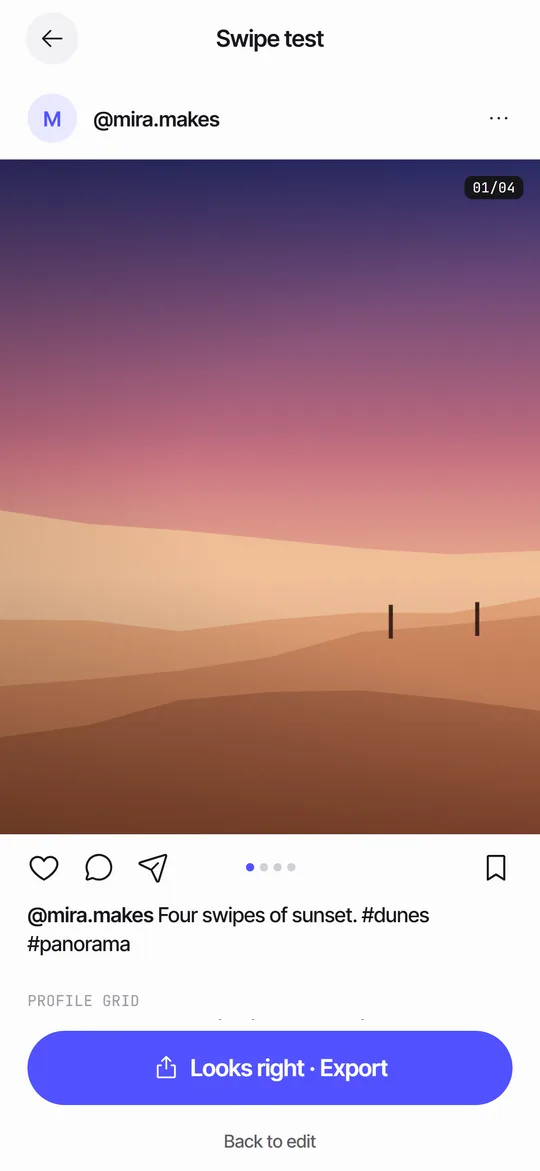 Swipe TestPage through your panels in a post frame and see the cover in a 3:4 grid.
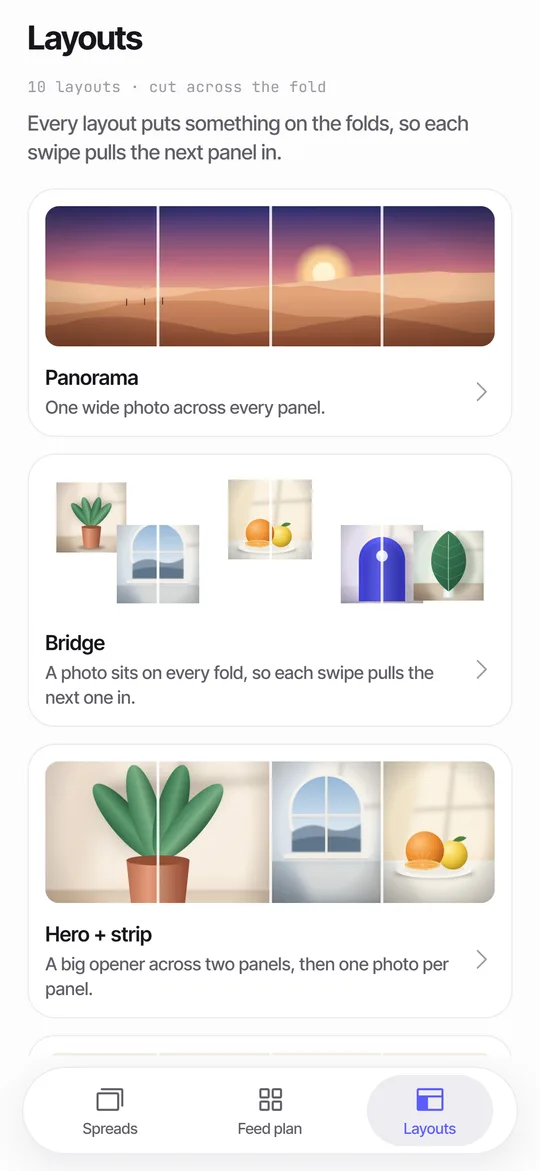 Panorama Splitter for Social Carousels on iPhoneCut a panorama into 2 to 20 panels, or build a spread from several photos with 10 layouts.Seamfold SupportAnswers on posting order, purchases, languages and data.