 Seamfold
Travel photo carousel ideas for social media
A good travel carousel tells a short story with a clear order: a wide opener, a few places, a detail or two and a closing frame. Strong formats include a day in one city, one slide per stop, a panorama of a view and a before-and-after of the same spot at different hours.
Coming soon to iPhone
Which travel carousel formats work?
Pick a format before you pick photos, because the format decides which photos you need. The table gives eight that suit a trip of any length.
| Format | Slide plan | Best for |
|---|---|---|
| A day in one city | Morning, midday, afternoon, evening, night | City breaks |
| One slide per stop | A place on each slide, in route order | Road trips, tours |
| Panorama opener | Wide view, split over 3 to 4 slides, then details | Landscapes, viewpoints |
| Food trail | Breakfast, lunch, snack, dinner, dessert | Food trips |
| Details of a place | Doors, signs, textures, tickets | Slow travel |
| Same spot, different hours | Dawn, noon, dusk, night | One strong location |
| Packing and plan | Map, route, bag, tips | Guides |
| Trip recap | Cover, best six photos, a closing frame | Any trip |
How do you order the slides?
Follow the trip, not the quality, when the story follows the trip. Follow the quality when it is a highlight reel. Put your strongest photo on slide 1, because the first slide is the cover in the feed and in the profile grid, and then alternate scale: wide, detail, person, wide. Keep the final frame calm. Travel viewers like a sense of place, so one slide with a sign or a map can anchor the rest.
How do you use a panorama in a travel carousel?
Take a wide shot at a viewpoint, cut it into three or four panels and use them as the first slides. The picture runs across the swipe, which shows the scale of a landscape better than one narrow frame. Hold the iPhone upright, level and steady for the capture, as in the guide to taking a panorama on iPhone. The split guide shows the cut. Follow the panorama with close-ups of the same place, so the viewer sees the detail after the view.
How do you plan a one-day-in-a-city carousel?
- List five moments from the day that you have photos of.
- Choose one image for each, avoiding repeats of the same scene.
- Add a map screenshot or a street sign for orientation.
- Put the best photo first and the evening shot last.
- Keep every photo at one ratio, such as 4:5.
- Write the caption with the city, the date and one tip.
What sizes should travel slides be?
1080 px wide, with a height of 1,350 px for 4:5, 1,440 px for 3:4 or 1,080 px for squares. Travel photos taken in landscape orientation need cropping to portrait. Crop around the subject, not the center, and keep the horizon level. The carousel size guide has the numbers and the grid effect. For the best use of the profile grid, 3:4 shows the whole cover.
What should the caption say?
Name the place and give one useful fact: where you stood, the time of day, how to get there. A tip is more useful than an adjective. A line such as "Tallinn Old Town at 7 a.m. The streets are empty before the cruise ships arrive" gives context and a reason to save. End with a question, such as which slide you would stop at. The caption tips guide lists more patterns.
How do you make a map slide?
Take a screenshot of the route in your maps app, crop it to the ratio and add a few place names in large type. Keep the map simple, since small labels turn to mush after the social app's compression. If you want a cleaner look, draw your own route on a plain background. A map slide works well as slide 2, right after the opener, because it tells the viewer where the story goes.
Can you plan a travel feed?
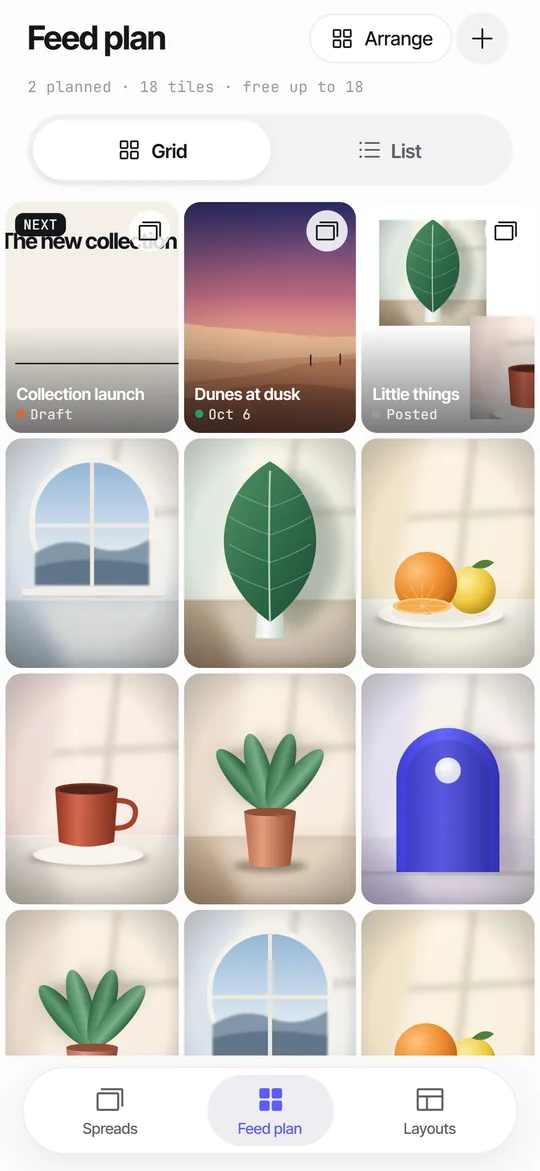
Yes. Travel accounts do better with a sense of rhythm: a wide view, a detail, a person, repeated. A planner that shows covers as 3:4 tiles helps you see this. Seamfold's feed plan places planned covers beside photos you already posted, with a day and a status for each, all on the iPhone without an account. For background on the genre, see travel photography on Wikipedia.
How do you pick photos for a travel carousel?
Start with all the photos from the trip and cut to a short list of twenty. Remove duplicates, then ask of each one: what would this tell someone who was not there? Keep the photos that answer a question: where, what, who, what does it feel like. Look for variety of scale and angle, since a carousel of ten similar views is dull. A person in the frame gives scale to a landscape, and a close-up of food or a door handle gives texture to a place.
How do you avoid the postcard look?
Add something specific that only you saw: a hand-written menu, a stray cat, a ticket stub, a reflection in a shop window. Postcard views are everywhere, and detail makes a trip your own. Edit the set with the same light touch so it reads as one trip, and let a few photos be imperfect. A slightly crooked, honest frame often has more life than a flawless one.
If a view is a famous one, shoot it at an unusual hour or from an unusual place, and describe that in the caption.
How many slides should a travel post use?
Six to ten covers most trips, and the panorama opener may use three or four of them. For a long trip, make several carousels rather than one giant one. The guide to slide counts lists ranges for each post type, and the limit of 20 is a ceiling, not a target. A short, strong set is more likely to be finished than a long one, and finished carousels give you the saves and shares.
How do you keep a travel set honest?
Show the trip as it was. Include one photo of the crowd, the rain or the queue, because it makes the beautiful ones believable. Followers notice a set that is all sunsets, and they trust a set that shows some effort. Honest travel posts also tend to earn better replies, since people recognize the experience and want to share their own.
What gear matters?
Very little. A recent iPhone has a main camera of 12 megapixels or more, which covers three or four panorama panels, and the other lenses give variety for the rest. Clean the lens, shoot in good light, keep the horizon level and take more frames than you need. You will cut most of them, and the ones left will be better for it.
Travel carousel checklist
- The first slide is your best photo and inside the 3:4 window.
- All photos share one ratio.
- The order follows the trip or the strength of the photos.
- One slide gives orientation: a map, a sign or a wide view.
- The caption names the place and gives one useful fact.
- The last frame is calm.
Frequently asked questions
How many photos should a travel carousel have?
Six to ten for most trips. A panorama opener may take three or four of those slides.
What should be the first slide of a travel carousel?
Your strongest photo, or the first panel of a panorama, kept inside the middle 3:4 window for the profile grid.
Should travel photos be in order of the trip?
For a trip story, yes. For a highlights reel, order them by strength and alternate wide shots and details.
How do I add a map to a carousel?
Screenshot the route, crop it to the carousel ratio and add large place names. Keep labels big so they survive compression.
Can Seamfold make the panorama slides?
Yes. It cuts a panorama into 4:5, 3:4 or 1:1 panels at 1080 px wide and checks seams. It is in development.
Keep exploring
 How to Split a Panorama for a Carousel, With SizesPanel counts, pixel widths and the steps to cut a panorama into a carousel.
 Feed Planner That Stays on Your iPhoneA local 3-column grid of planned covers and posted photos, with dates, status and captions.Photo Dump Ideas for Social Media, With Order and LayoutWhat to put in a photo dump, how many slides, the order that works and a panorama twist.Story Teaser Ideas to Announce a CarouselThree teaser layouts, wording, timing and a quick way to build the card on iPhone.