 Seamfold
What to put on the last slide of a carousel
The last slide of a carousel should finish the idea and offer one next step, such as save, share or follow. In a guide, restate the key takeaway. In a photo set, end on a strong frame. In a panorama, end the picture cleanly and add a small closing detail.
Coming soon to iPhone
Why does the last slide matter?
It is the one people remember, and it is where you can ask for something. Viewers who reach it have swiped through everything, so they are the most interested part of your audience. A weak ending, such as a leftover photo, wastes that moment. A good ending gives them a reason to act or a feeling of completion. It also helps the next viewer: if the last slide looks finished, the swipe feels worth it.
What can go on the last slide?
| Carousel type | Last slide idea | Why it works |
|---|---|---|
| Guide | Summary of the steps in one line each | People save the slide as a checklist |
| Photo dump | The funniest or warmest frame | Ends the swipe on a smile |
| Panorama | The end of the picture, with a small detail | Completes the view |
| Product post | Price or where to buy, in words | Gives the next step |
| Case study | The result in one number or sentence | Shows the payoff |
| Announcement | Date and place | Gives the key fact |
| Quote series | A line that sums up the theme | Leaves a thought |
How do you ask for an action without sounding pushy?
Ask for one thing, in plain words, and tie it to what the viewer just got. "Save this for your next trip" works after a travel guide. "Send it to someone who needs it" works after a tip. Three requests at once, such as like, follow, comment and share, feel like noise and get ignored. Put the request in the last slide and not on every slide, so the earlier slides stay clean.
How should the last slide look?
Match the rest of the carousel so it feels like part of the set, then make it quieter or bolder to signal the end. A common method is to repeat the cover design with new text, so the carousel closes the loop. Use the same fonts and colors, and keep text large and short. If the carousel is a panorama, the last slide is just the right end of the picture. Keep faces and important details away from the right edge, since the swipe stops there.
How do you end a seamless panorama?
- Choose the right end of the picture so it has a visual stop, such as a building, a tree line or a person.
- Keep any words well inside the last panel, away from the final fold.
- Add a small detail, like a tiny caption or a date, in a corner.
- Check that the last panel can stand on its own as an image.
- Run a swipe test and see if the end feels earned.
- Export and post in order.
Should the last slide link somewhere?
Links in the image are not clickable, so write the next step in words. Name the account, the shop or the page, and say where to find it, for example link in bio. The bio is the place for a link. If you announce the carousel in a story, the teaser card can carry the pointer for those who have not seen the post.
What about a free mark on exported panels?
On Seamfold's free plan, exports carry a small mark on the last panel, placed in the bottom right corner. Keep the corner free of anything important, because the mark sits there. Pro removes the mark by default. The app is in development, and the pricing page lists what each plan includes.
What mistakes spoil the ending?
- Adding a slide only to say thanks.
- Putting a blurry or leftover photo last.
- Cramming three requests into one slide.
- Using a different style from the rest of the set.
- Placing key words at the very edge.
- Ending a panorama in the middle of a subject.
What does the call to action look like in practice?
A call to action is a prompt that tells the viewer what to do next. On a slide it can be a single line in large type, such as Save this for later, with a small icon or an arrow. Place it in the lower third, where the eye lands after reading the slide. Use the same color as the cover title, so the design is consistent. Leave generous space around it, and remove other decorations so it is the one thing the viewer reads.
What if the carousel has no obvious ending?
Make one. A photo dump can end on a text slide with the date or the place. A tip series can end on a recap, one line per tip. A panorama can end on the right edge of the picture, with a small caption in the corner. A story-based post can end on the line that turns the story. If you cannot name the point of the final slide in a few words, the carousel may need a slide fewer, not a slide more.
How does the last slide connect to the next post?
It can tease. A closing line such as next week: the same trail in winter gives followers a reason to return. It can link to the previous post with a phrase like part one is on my profile. Keep the promise realistic, though, since an unfulfilled teaser teaches people to ignore you. If you announce with a story, the teaser card is a tidy way to do it, and the last slide of the carousel does the rest.
What does a good last slide look like in numbers?
Keep text to one idea of fifteen words or fewer, set at 100 px or more for the main line and at least 40 px for any supporting line, inside the middle of the slide so nothing is trimmed. Leave at least a fifth of the slide empty. A crowded last slide feels like homework, and an airy one feels like a finish. If your design has a logo or handle, put it small in a corner and let the main message take the centre.
A last slide for a seamless spread
When the carousel is one continuous picture, the last panel has to end the picture without a fade into nothing. Look at the right edge of the spread and decide what sits there. A strong vertical element, such as a tree or a doorway, gives the eye a place to stop. If the picture has nothing like that, crop a little tighter, or let the spread end a bit earlier by using one panel fewer.
How can you test the ending?
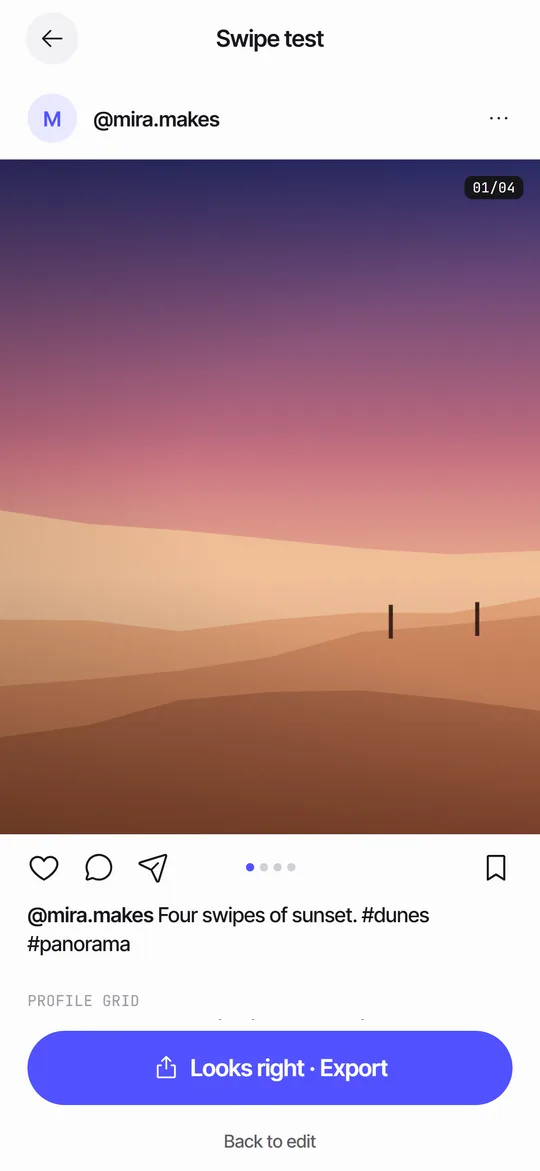
Swipe to the last slide and stop. Ask whether it could be the first slide of a different post, and whether it feels like a conclusion. If not, rework it. Show it to a friend without context and ask what they would do next. The answer should match the action you want. The Seamfold swipe test shows a counter such as 4/4, so you see the ending in its place.
Frequently asked questions
What should I put on the last slide of a carousel?
A closing idea and one next step: a summary, a strong final photo, the end of a panorama or a request to save or share.
Should the last slide have a call to action?
Usually yes, but only one. Tie it to what the viewer just saw.
Do I need a last slide for a panorama?
The last panel is the end of the picture. A small detail in a corner can add a sense of finish.
Can I link in the image?
No. Links in images are not clickable. Write the next step in words and use the bio for the link.
Does Seamfold add a mark to the last panel?
On the free plan, yes, a small mark in the bottom right corner. Pro removes it by default. The app is in development.
Keep exploring
 Swipe TestPage through your panels in a post frame and see the cover in a 3:4 grid.How Many Slides Should a Carousel Have?The 20-slide limit and a practical slide count for panoramas, guides and photo dumps.Seamfold PricingFree: 2 to 4 panels, 6 layouts, all checks. Pro: 20 panels, all layouts, no mark, unlimited feed plan.Text Across Carousel SlidesSafe margins, type sizes and a fold check for text that runs across carousel slides.