 Seamfold
Grid splitter vs carousel splitter
A grid splitter cuts one image into rows and columns of tiles that you post as separate posts, so the profile grid forms a picture. A carousel splitter cuts a wide image into panels for one swipeable post. Choose by where you want the picture to appear: the profile page or inside a post.
Coming soon to iPhone
What is the difference?
Both tools cut one image into pieces, but they aim at different places. A grid splitter prepares tiles for your profile page. Each tile becomes its own post, and the picture appears only when all of them sit together. A carousel splitter prepares panels for one post. The viewer swipes through them, and the picture appears as they move.
People look for both grid splitters and carousel splitters. The two ideas are often confused, so check what you need before downloading an app.
Side by side
| Grid splitter | Carousel splitter | |
|---|---|---|
| Output | Tiles in rows and columns, such as 3 x 3 | Panels in one row, such as 4 |
| Posts needed | One per tile | One for the whole set |
| Where the picture shows | On the profile page | Inside the post, while swiping |
| Tile size now | 1,080 x 1,440 px (3:4) | 1,080 px wide, 4:5, 3:4 or 1:1 |
| Posting order | Last tile first | Panel 1 first, in order |
| Maintenance | New posts push tiles out of place | Nothing to maintain |
| Best for | Brand launches, art series | Panoramas, wide photos, text across slides |
When do you need a grid splitter?
When the profile page is the stage. A large artwork, a product reveal or a brand mosaic can look striking in the grid. The price is effort and fragility: nine posts to publish in reverse order, and every new post afterwards shifts the picture. The puzzle feed guide explains sizes, order and crop traps in the 3:4 grid.
When do you need a carousel splitter?
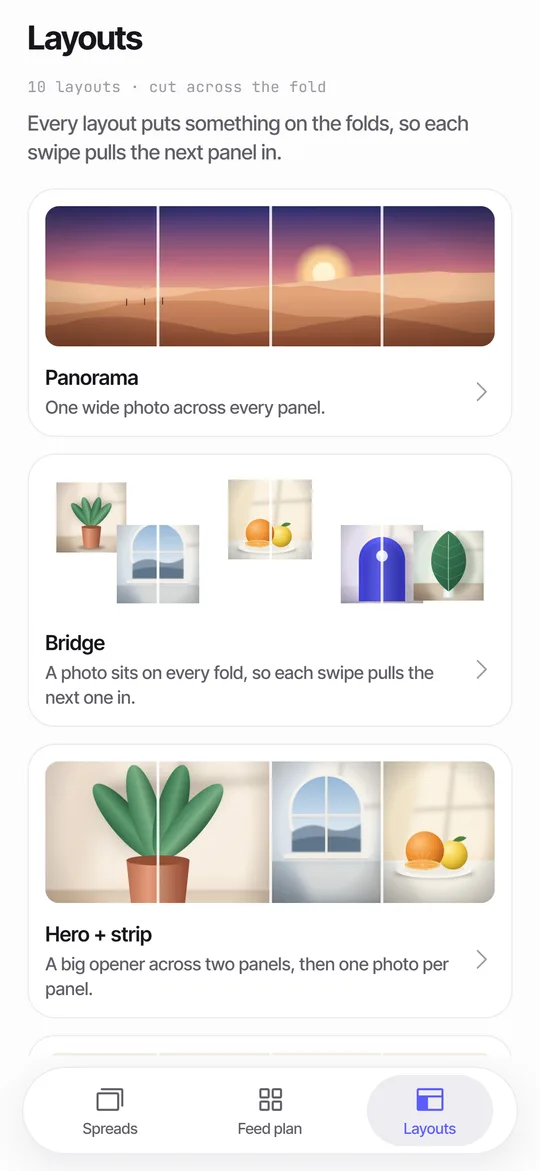
When the picture belongs inside a post. A panorama, a long skyline or a wide group photo does not fit a single frame, and a swipe lets viewers move across it. It takes one post and needs no upkeep. This is what Seamfold does: it cuts a panorama or a set of photos into panels in 4:5, 3:4 or 1:1, at 1080 px wide, and it checks text on the folds and the cover in the 3:4 profile grid. The panorama splitter page has the details.
Which one fits your goal?
- Write what you want people to see: a picture on the profile, or a picture inside a post.
- If it is the profile, count the rows and plan a grid splitter, nine tiles for a 3 x 3.
- If it is a post, count the panels, usually 3 to 6, and use a carousel splitter.
- Check your source size. A grid needs a tall image, and a carousel needs a wide one.
- Preview the result: a mock grid for tiles, a swipe preview for panels.
- Export in the right order and post.
Can you use both on the same picture?
Yes, but with care. A wide panorama can open a carousel, and the first panel can double as one tile of a profile row. Some accounts plan a row of three tiles that form a banner, then post a carousel with the full picture later. This works only if the tile design and the carousel agree, and the extra effort is rarely worth it. Pick one primary format per picture.
What about the 3:4 grid change?
Older grid splitters cut square tiles, which now lose a quarter of their width in the 3:4 grid. Check that a tool offers 3:4 tiles of 1,080 x 1,440 px before using it for a puzzle. Carousel splitters are affected in a smaller way: only the first panel is shown in the grid, in a 3:4 window, as explained in the 3:4 grid crop guide. Seamfold's cover check shades that window on panel 1.
How do you tell the tools apart in the App Store?
Read the description for the words grid, tiles, rows and columns, which suggest a grid splitter, and panorama, carousel, swipe and panels, which suggest a carousel splitter. Some apps do both. Check the output sizes, whether it supports 3:4, and whether it keeps the original resolution.
What does the grid look like from a viewer's side?
A visitor who opens your profile sees tiles in rows of three, so a grid puzzle is something they discover by scrolling the page. They will see it only if they land on your profile, not if they meet one post in their feed. A carousel splitter works the other way. A viewer who meets the post in the feed sees the picture as they swipe, whether or not they ever visit your profile. Think about where your audience actually meets you before you pick. The basic idea of a grid as a way of dividing a surface is old, and both tools rest on it.
What should you check before you download a splitter?
- Does it offer 3:4 tiles or panels at 1,080 px wide?
- Does it keep the original resolution, or re-render everything?
- Does it save the files in a clear order?
- Does it ask for access to your whole library, or use the system picker?
- Does it add a watermark, and where?
- Is the app maintained for the current iOS version?
How do the two workflows differ in time?
A grid splitter has a short setup and a long tail: cut once, then post nine times over several days in a precise order. A carousel splitter has a short setup and a single post. For a one-person account, the second is easier to keep up. If you manage a brand with a content calendar, the first can be part of a launch plan, where the grid is a showpiece for a week or two and then becomes history as new posts push it down.
A short example of each
Say you have a wide photo of a mountain range. With a carousel splitter you cut it into four panels and post one carousel, and followers swipe along the ridge. With a grid splitter you cut a tall version of the picture into nine tiles and post nine times, and visitors to your profile see the mountain assembled in the grid. The first took one post and a few minutes. The second took nine posts and a plan. Both can look great, so decide which one fits the way your audience finds you.
Do carousels hurt the profile grid?
Not if the first panel is a good cover. The grid shows panel 1 in a 3:4 window, so the cover has to work alone. A panorama opener often does, because the left slice of a wide image is a calm color block. Check the cover with a tool that shades the crop, and the grid will take care of itself.
Quick decision rules
- Profile mosaic: use a grid splitter and plan the posting order.
- Wide photo in one post: use a carousel splitter.
- Text running across slides: use a carousel splitter with a seam check.
- Many small photos in one post: a collage or layout tool is simpler than any splitter.
- Unsure: make a carousel first, since it needs no maintenance.
Frequently asked questions
What is a grid splitter?
A tool that cuts one image into rows and columns of tiles that you post separately, so the profile grid shows the whole picture.
What is a carousel splitter?
A tool that cuts a wide image into panels for one swipeable post, such as a panorama.
What size are grid tiles now?
1,080 x 1,440 px (3:4), since the profile grid moved to vertical tiles.
Does Seamfold make a 3x3 grid?
No. It cuts horizontal strips for carousels. Its feed plan previews covers in a 3-column grid of 3:4 tiles. It is in development.
Which is easier to maintain?
A carousel. A grid puzzle breaks whenever you post something new in the middle of it.
Keep exploring
 Panorama Splitter for Social Carousels on iPhoneCut a panorama into 2 to 20 panels, or build a spread from several photos with 10 layouts.The 3What the 3:4 grid crops from 4:5 and square covers, and how to keep titles inside.